Prerequisites
- You need to login to Ubiqisense analytics
- You need an organization admin user account
- If you are collecting data from a footfall‑configured sensor, you must also request MQTT credentials from Ubiqisense Support.
How to create Client and secret and locate Organization ID
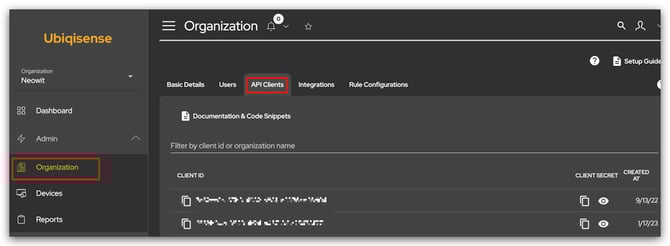
Client ID and Secret: Navigate to Admin ->Organization ->API clients
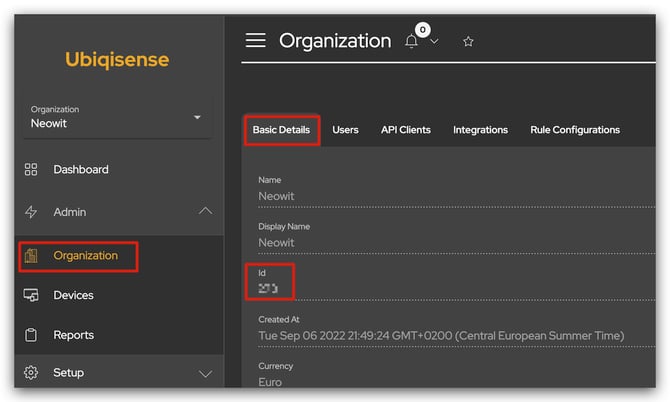
Organization ID: Navigate to Admin->Organization-> Basic Details
How to add integration in Neowit
Standard API integration for occupancy ounting
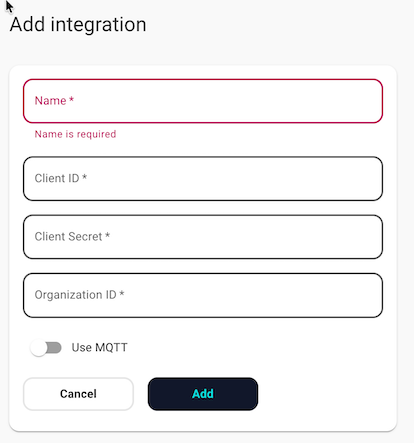
- Login to Neowit->Settings-> integrations
- Name: Name the integration in platform
- Paste Client ID, Client Secret and Organization ID.
- Click add
Additional MQTT configuration to support footfall configured sensors
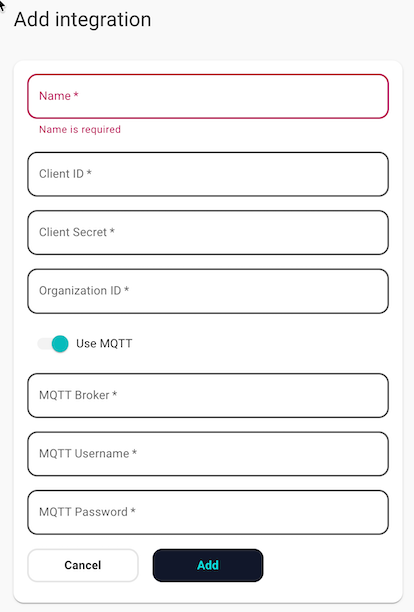
- In addition to the API setup described above, check the Use MQTT button
- You will need additional information from Ubiqisense, as they must first enable MQTT on their side.
- Enter the MQTT Broker address in the following format:
mqtts://<Broker address>:7883 - Insert the MQTT Username and MQTT Password
Note: The Ubiqisense integration always uses the Standard API to provision devices. Data is then ingested either via the API or via MQTT, depending on your configuration. For footfall‑configured sensors, MQTT must be enabled so we can process data on an event-by-event basis. When MQTT is enabled to support footfall sensors, all of the customer’s data is ingested through MQTT.
Sensors information presented in Neowit
Location and People count for the sensors in Occupancy mode
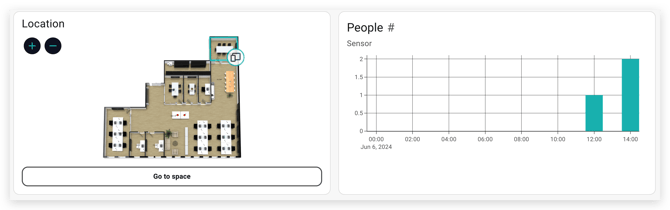
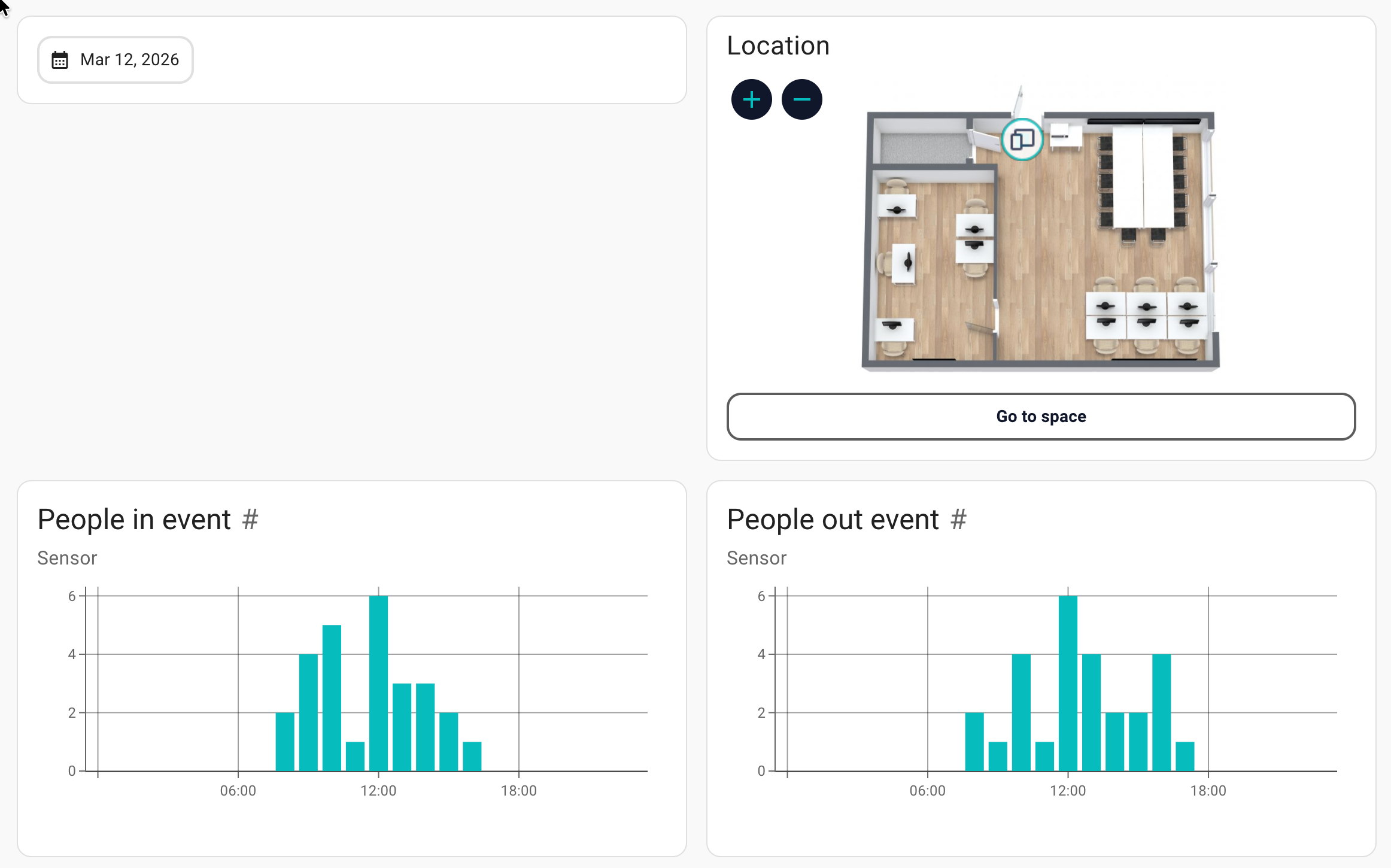
Location, People in event and People Out Event for the sensors in Footfall mode