
Before you start
- A Disruptive Technologies account with at least one Project containing your devices.
- Service-account credentials with read access to the project: KeyId, KeySecret, and Email. Generate these in the DT cloud console.
- Admin access on the Neowit organization.
- One or more Touch or Counting Touch devices already paired and visible in the DT cloud.
The integration receives events through a Disruptive Data Connector webhook — Neowit registers it for you when you connect.
Connect Disruptive Technologies
- In the left navigation, open Settings → Integrations.
- Click Add integration and pick Disruptive Technologies.
- Paste your Email, KeyId, and KeySecret from the DT console. Optionally set a friendly name.
- Click Save. Neowit verifies the credentials, registers a Data Connector against your DT project, and pulls the device list.
- The card flips to Connected once everything is in place.
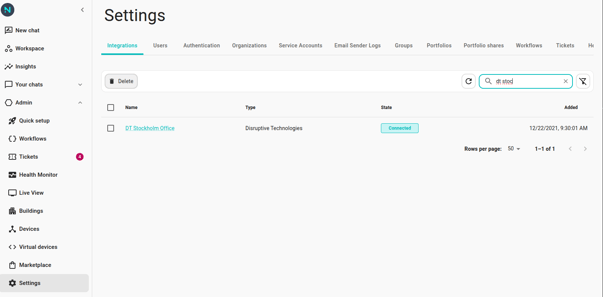
How devices appear
- Neowit polls Disruptive every 5 minutes to refresh the device list. Newly added or renamed devices show up on the next poll.
- Click Synchronize on the integration card to force an immediate refresh.
- Only Touch and Counting Touch models are surfaced for workflow use today. Other Disruptive sensors (temperature, humidity, proximity, …) sync as devices but don't expose triggers yet.
What you can do today
The integration ships one trigger:
- Button Pressed — fires when someone presses a Touch or Counting Touch button. Carries
device.{id, name, externalId, type}andpressedAt(a datetime object).
Full details and examples in Triggers. For build-it walkthroughs, see Toggle lights with a button and Panic button to Slack.
Not yet supported
- Triggers for non-button Disruptive sensors (temperature, humidity, object-presence, motion, water).
- Actions — Neowit can react to DT events but can't push anything back to a Disruptive device.
- Long-press, double-press, or pattern detection. Every press fires once with the same trigger.
When Disruptive stops working
Most issues show up as a red badge on the integration card.
- Bad credentials — the service-account key was revoked, the secret rotated, or the key lost project access. Open the integration, paste a fresh KeyId and KeySecret, and save.
- Unable to connect — DT cloud was unreachable on the last health check. Usually transient; retry Synchronize in a few minutes.
- No events arriving — the Data Connector webhook may have been removed in the DT console. Disconnect and reconnect the integration; Neowit re-registers the webhook.
- A device disappeared — it was removed from the project after Neowit cached it. Click Synchronize and re-pick the device anywhere it was referenced.
See Integration disconnected for the general recovery flow.